0

Large-scale, automated whimsy — A journey into blog spam

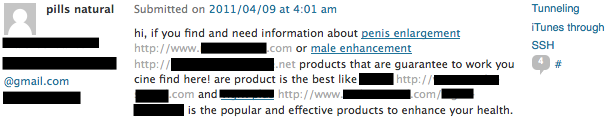
As you may have noticed if you write a blog, however modest it might be (such as yours truly), you’ll receive spam comments. A lot. Things like that:

spam 1


Spam like this is usually obvious. Thankfully, some spammers go out of their ways to create engaging messages to fool your filters, both automated (like Akismet, who dutifully collected all the ones exposed in this post) and human. I’ve been collecting the best of breed (I know, I live a very sheltered life), such as…


The Ones Sucking Up

magnificent

Aaaah, the day-to-day of spam. “Magnificent”, nothing less!


fame

“Famous”! Money! Girls! Bling! Bring it on!


trains


“Amazing”, yay! Although I hope you realized you are trying to advertise train horns on a tech blog. Train horns.


The Confused Identities

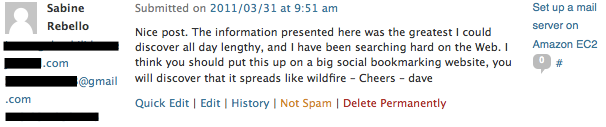
dave-sabine

Why thank you, Sabine — I mean Dave. Hmm, wait.


The Sarcastic

colors

The colors on this post are amazing? Are you on drugs?


great risk


Ah, yes. Writing about SICP almost got me killed by M.I.T.’s own Secret Service. As a matter of fact, I’m hiding in Kazakhstan right now.

(On a serious note, I emailed Hal Abelson about a typo in the online version of SICP and received a very nice answer by him personally the very next day — hats off to you, sir!)


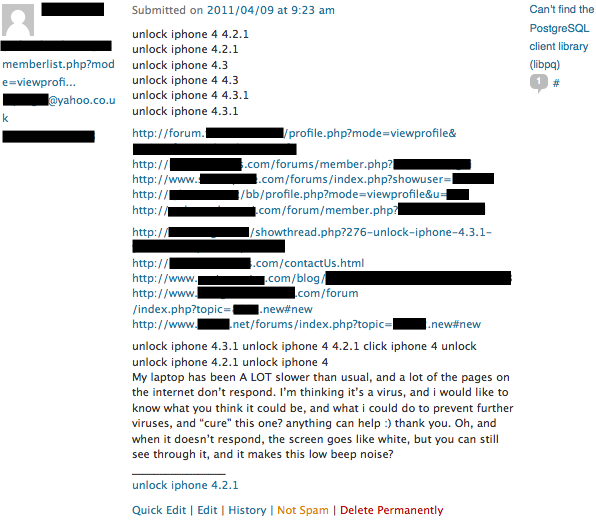
The Keyword Bingo

keywordbingoGotta unlock ‘em all!


The Compliment That Wasn’t

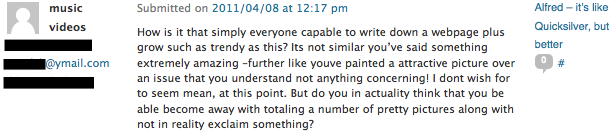
notcompliment

This starts well… Grow, trendy, extremely amazing, attractive… Yeah, classical spam. But at closer look, this is actually a poorly translated troll insinuating that my post is unworthy. Darn!


The Cringe-Worthy

incite

It is very telling whether you consider “incite full” or the concept of high-waist shorts to be the worst part of this spam. I can’t really pick, they’re both frightening.


The Big-In-Japan

A slight variation on plain sucking up is doing so in different languages.

arabic

russian

portuguese

Google translating that last one gives:

Hello interesting post, I liked a lot, maybe we could become blog palls:) lol!
Aside from the jokes call me Navid and look like you publish on the Internet although the theme of my room … this is very different.
I study the pages on poker free bonus without risking your cash … …
Greatly enjoyed what I saw written on this second visit
I shall return:)
Ps: I have a bad Portuguese

Thumbs up for the politeness and the disclaimer at the end. That’s top quality spam. Not so much to say for the reading skills though, because I don’t remember discussing online poker strategies together with ncurses.


The Philosopher

philosopher

Wow! That turns out to be an (unsourced) citation of the late John Enoch Powell, a conservative English MP who’s also quoted as saying “reading one’s diary is like returning to one’s own vomit”, which may or may not be a more appropriate metaphor for blogs. And spam. Oh well.


The Prescient

pussy

Apart from the fact that they fscked up the URL bbtag — HOW DO THEY KNOW ABOUT MY SECRET PASSION!?

-

-

-

-

-

pity the lolcatpity the lolcat, by tizzie on flickr


What were your best ones?

0

The Zen of updating WordPress

WordPress automatic updates never work.

No matter if it’s a major version change or just a small bump (let’s say… 3.0.4 to 3.0.5, uh?), I always end up downloading the whole thing and updating it manually because the update page stops responding and plainly goes blank.

Instructions for update are here, by the way. And after the steps to update, they include that little snippet of wisdom:

Consider rewarding yourself with a blog post about the update, reading that book or article you’ve been putting off, or simply sitting back for a few moments and letting the world pass you by.

How could anyone be angry at WordPress after that?

0

Tunalysis – with screenshot

For all of you number junkies out there:

tunalysis screenshot

Tunalysis development is doing good, as sporadic as it may be. The next step is to rework/refine the algorithm giving rankings, in order to achieve better results. I’ll try to include the “Last Played Date” in the mix, and maybe also use the Date Added.

More good news: no need to install gems by yourself anymore, everything’s included by Bundler.

Tunalysis’s on GitHub!

0

Set up a mail server on Amazon EC2

This post will explain how to set up a Postfix mail server on an EC2 instance.

First, a word of warning: Amazon IPs generally aren’t highly considered, spam-wise. Meaning that even if you take all the precautionary steps, your emails might end up in spam folders. If email is business-critical for you, you might want to consider other options: host your mail server somewhere else? Use something like SendGrid?

This said, let’s dive in!

Prerequisites

I assume you have the following:

  • A domain name, with control over the DNS records
  • An EC2 account

Pick an AMI

Let’s start by creating an EC2 instance. I began with the vanilla AWS Linux micro instance, which seem to be somehow Fedora-based, and it was a pain. Now do yourself a favor and pick a Debian-based OS. It will make things much more easier.

Eric Hammond and Canonical themselves provides Debian and Ubuntu AMIs, which are a great first step. You can even bypass the whole Postfix config by using one of these AMIs.

Assign an elastic IP to the instance you launched. We will need it for the DNS setup.

Configure Postfix

Now’s the time to be very lazy and just redirect you to Ivar Abrahamsen‘s excellent howto on setting up Postfix. Actually, most of what I’m writing right now can be found on his howto, but let’s not stop at technicalities.

Configure your DNS

The most important step in having your email properly delivered is in your DNS configuration.

The first step is to define an A record for your Amazon Elastic IP, for example mail.mydomain.com. This will be used to set up a reverse DNS on your web server, so that other SMTP servers know that you’re not a spam relay.

Then add an MX record to the address you just defined, for example mail.mydomain.com. Now each SMTP server sending mail to mydomain.com will contact mail.domain.com, which in turn points to your EC2 instance. Awesome!

The next step is to modify your SPF record. I’ll let you work out the details with the spec and Ivar’s howto, and as an example here is the SPF record for remaildr:

remaildr.com.        1800    IN    TXT    "v=spf1 mx ip4:50.16.218.96 include:mx.ovh.com ~all"

This SPF allows MX servers and the IP address 50.16.218.96 (i.e. the EC2 instance) to send mail for remaildr.com. Only “MX” should be enough, no need for the IP in particular ? Well, I thought so, but it didn’t work so I added the IP address. Now it works. If anyone has an idea why, I’m all ears.

The include:mx.ovh.com is automatically added by OVH themselves and is not a problem in our case.

You can use the dig command to check if your DNS settings are properly set. For example, the SPF field was retrieved with a:

$ dig remaildr.com in txt

As a bonus, you might be interested in setting up DKIM (cryptographic email signing), a half of which takes place in your DNS. I’ll once again refer you to Ivan’s howto because it’s that good.

Tell Amazon you’ll be sending emails

By default, Amazon limits the amount of email you can send from an instance. You can ask them to remove that limitation very easily though, through that page.

This form also allows you to set up the reverse DNS I was telling you about. Go on, do it! Amazon usually answers to this form within 1-2 days.

Done!

That’s it!

Do you end up in spam folders? Try the test at AllAboutSpam, and check if everything’s alright. It covers about any issue your server might have.

0

Remaildr – the tech bits

Here are a few small things you might want to know about http://remaildr.com. Or maybe not, but then again, nobody forces you to read, stranger!

“Hardware”

Remaildr is hosted on an Amazon EC2 micro instance, benefiting of the free tier offer. Apart from the static IP that will probably end up costing me something, remaildr should be about free.

– Edit: as of may, remaildr is now hosted on a VPS at OVH. The EBS volume of my EC2 instance blew up on me, and with the free tier coming to end, EC2 would be too costly.

Network

The remaildr.com domain is registered at OVH, because of the low price and the flexibility they allow on DNS. I added an A record for mail.remaildr.com pointing to 50.16.218.96 —the AWS elastic IP—, then modified the MX record for remaildr.com to point to mail.remaildr.com. That way, every email sent to any_address@remaildr.com will be sent to the right mail server. Having an A record also allows reverse DNS on the mail server, often used to flag spam.

Other DNS modifications included the SPF record, which allows the mail server to actually send emails in behalf of remaildr.com, and a TXT record for DKIM — cryptographically signing outgoing emails.

OVH provides a free 1MB web storage for each domain name subscription, which is more than enough to host the remaildr.com website, weighing about 30KB.

The mail server

The email server at OVH is a run-of-the-mill Debian Squeeze. It runs a Postfix server, configured to forward a few specific email addresses (for example abuse, postmaster and info) to my account, and let everything else go to a catch-all account called remind.

A set of two Daemonized Ruby scripts will then do all the work:

  • receivr.rb will fetch the emails in POP, compute the send date, then put the remaildr to send back into a PostgreSQL database as a Base64-encoded marshalled ruby object (akin to how DelayedJobs works as far as I understand)
  • sendr.rb will read the database and send all the emails who need to be sent

Of course, the code is on GitHub.

That’s about it! Feel free to ask any questions, and I’ll answer as well as I can. :)

2013 — Upon my shoulder

Creative Commons License
This work is licensed under a Creative Commons Attribution 3.0 Unported License.